Skate trick at sunset
PixVerse V6
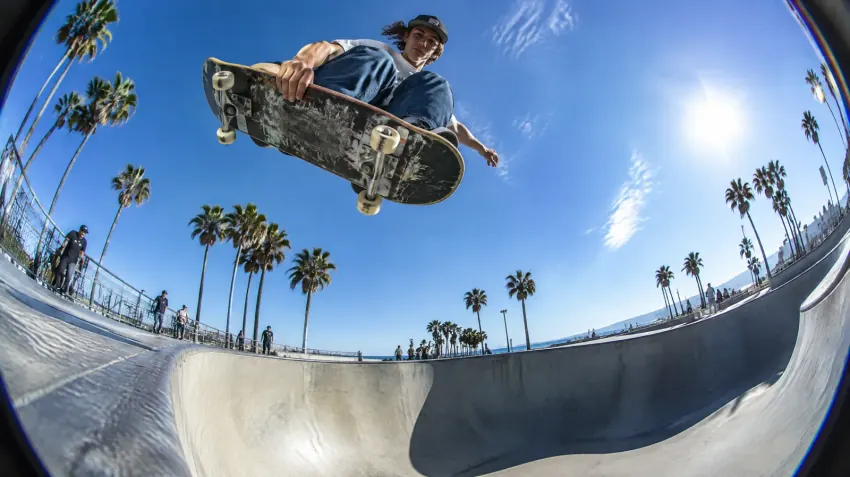
A skateboarder kicks off a concrete ledge at golden hour and lands a kickflip, the camera tracks low beside the board, warm lens flare, slow motion on the landing
Text to video
Yes, text to video is free to start. Type one sentence about the scene, pick a model and get an MP4 in 1 to 5 minutes, many with sound. A free account is required to generate; it comes with 100 credits and needs no card. Veo, Kling, Seedance, PixVerse and Wan all run here, and paid plans download without a watermark.
Updated
Sample videos
Six models picked for turning a written scene into a clip, from quick drafts to long, cinematic takes.

The cheapest way to try an idea, with sound. Good for social clips.
From 65 creditsUp to 10 sSound
Open PixVerse V6
Follows long prompts closely and adds dialogue and sound.
From 150 creditsUp to 8 sSound
Open Veo 3.1 Fast
Fast, smooth action and camera moves at a steady price.
From 100 creditsUp to 10 s
Open Kling 2.5 Turbo
Multi-shot stories with consistent characters and native audio.
From 125 creditsUp to 15 sSound
Open Seedance 2.0Sharp, realistic detail and clips up to 15 seconds with sound.
From 110 creditsUp to 15 sSound
Open Kling 3.0
Long takes up to 30 seconds from one prompt.
From 50 creditsUp to 30 s
Open Wan 3.001
Who or what is in it, what happens, where, and the light. One or two sentences is enough.
02
Say how the camera moves ("slow push-in", "tracking shot") and, on models with audio, what we hear.
03
Choose length, ratio and resolution, see the credit cost, then download the MP4.
Copy a prompt, paste it into the prompt box above and change the details to make it yours.
PixVerse V6
A skateboarder kicks off a concrete ledge at golden hour and lands a kickflip, the camera tracks low beside the board, warm lens flare, slow motion on the landing
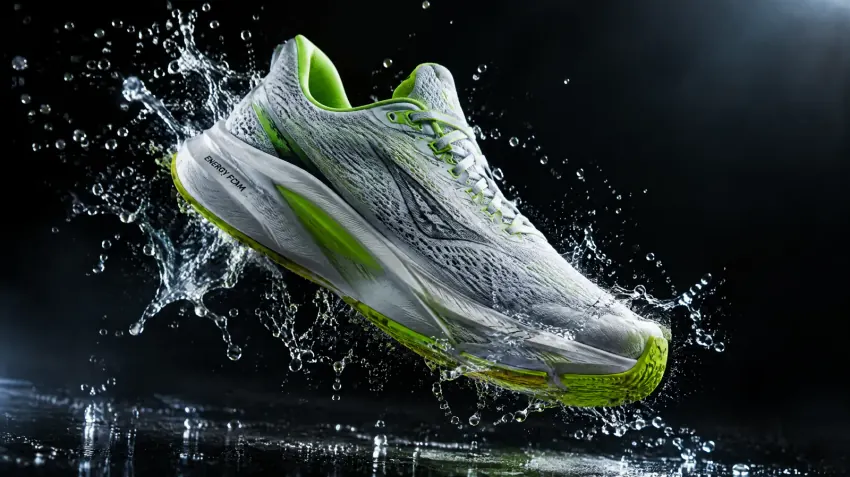
Veo 3.1 Fast
A white and lime running sneaker spins slowly in mid-air as water splashes burst around it in slow motion, dark studio, rim light, glossy reflections, product commercial
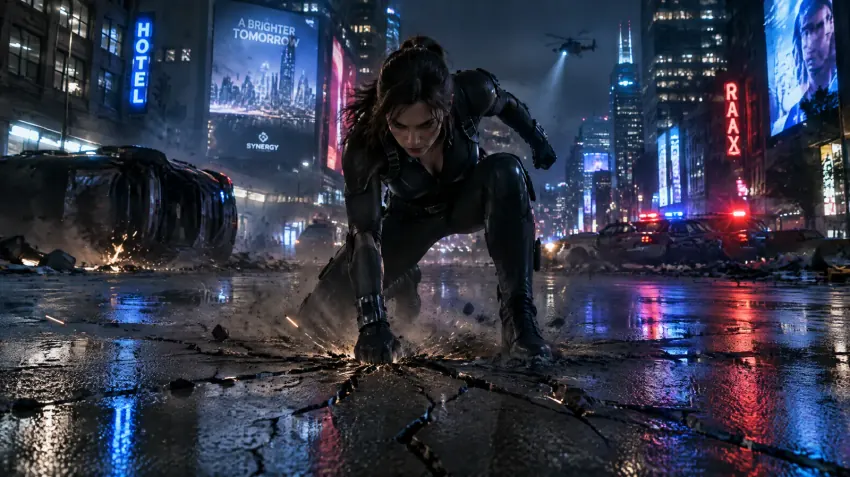
Kling 2.5 Turbo
A heroine in a dark suit drops from above and lands on a neon-lit street, cracks spread through the asphalt, dust swirls, she rises and looks into the camera, slow push-in
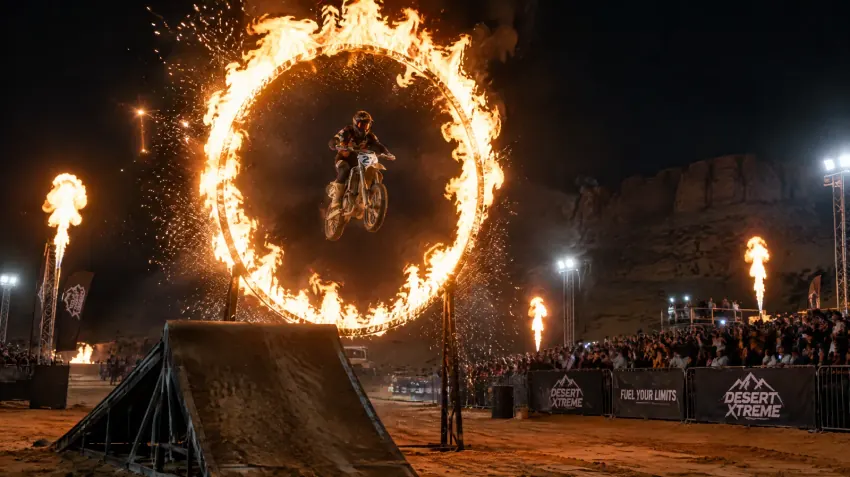
Seedance 2.0
A motorcycle rider launches off a dirt ramp and flies through a ring of fire at a night show, the crowd cheers, slow motion at the peak, sparks in the air
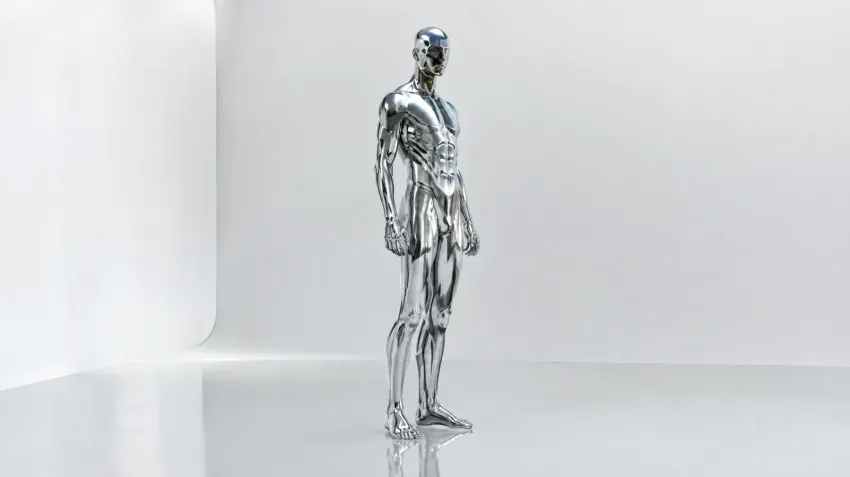
Kling 3.0
A chrome figure ripples and melts into a pool of liquid metal on a black floor, then reforms into a standing figure, mirror reflections shifting, slow orbiting camera
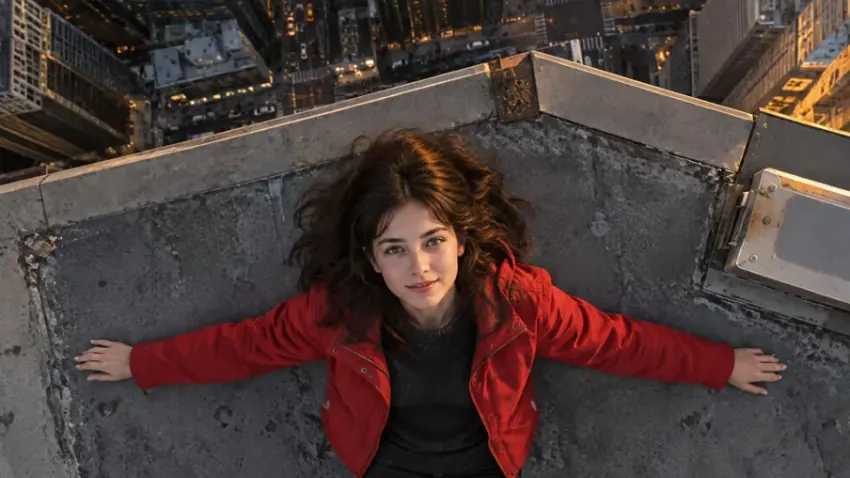
Wan 3.0
Start on a woman lying on a skyscraper rooftop at dusk, then one continuous zoom out past the city, the clouds and the curve of the earth into space
Yes, to start. A free account gets 100 credits with no card, enough for a few short drafts on PixVerse V6 or the other cheaper models. Paid plans start at $8.33 a month billed yearly.
Yes. A free account is required to generate (email or Google), so your credits and videos are saved. Browsing the models and prompts does not.
For quality and sound, Veo 3.1 and Kling 3.0. For multi-shot stories, Seedance 2.0. For cheap drafts, PixVerse V6. For long takes, Wan 3.0 at up to 30 seconds.
Usually 1 to 5 minutes. Longer clips and higher resolutions take longer; the page shows the result as soon as it is ready.
From 4 to 15 seconds on most models and up to 30 seconds on Wan 3.0 and Seedance 2.5. Each run makes one MP4.
Yes on Veo 3.1, Seedance 2.0, Kling 3.0 and PixVerse V6: they generate ambience, effects and spoken lines with the picture.
Results made with a paid plan or a credit pack download without a watermark.
Generation runs on our cloud servers and results are saved to My Creations in your account, visible only to you. You can delete them at any time.
The credits go back to your balance automatically, so a failed run costs nothing.
100 free credits when you sign up, no card needed. Plans from $8.33/mo.