Trend guide
Hotel Lobby AI: How to Make the Two-Photo Duet
To make the Hotel Lobby AI trend on Vidlark, upload two separate adult photos: photo 1 goes on the left and photo 2 on the right. The template makes a 15-second duet in 4:3 at an orange wall under a hanging microphone, with the trend’s sound. Download your result from My creations and post it.
- Two adult photos
- Left photo first
- 15 s, 4:3
Recognize the orange-wall duet
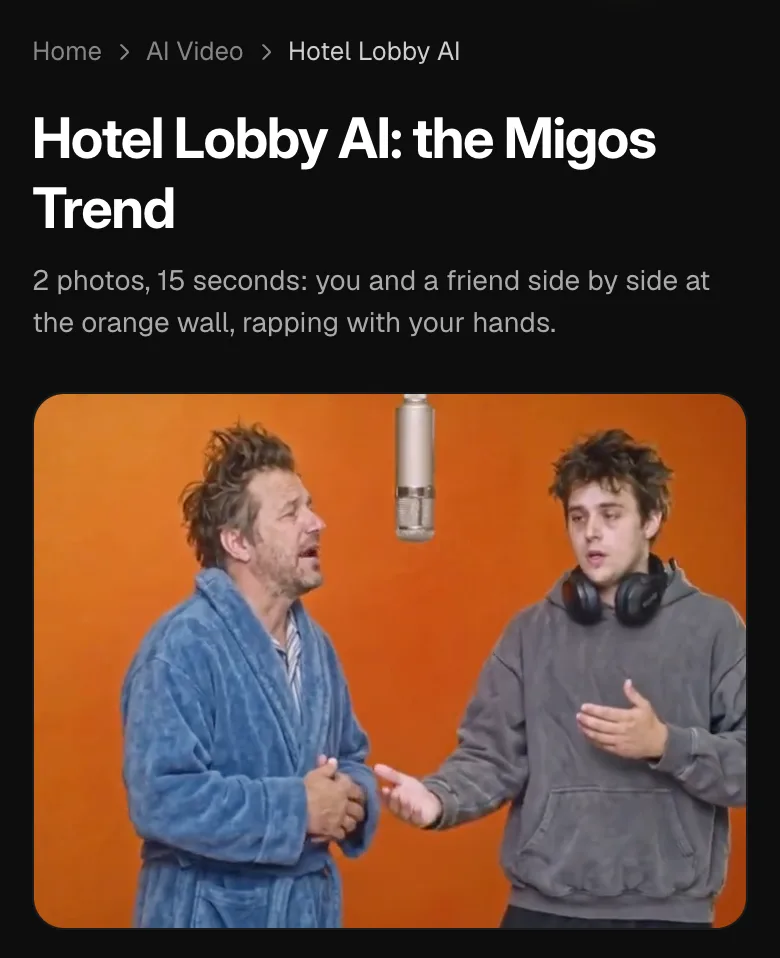
The Hotel Lobby AI trend is a two-person performance, with an orange wall behind the pair and a studio microphone hanging between them. The performers point, shrug and nod while the camera moves closer and cuts between wider and closer views. The duet and its hand movements make the scene recognizable.
Vidlark’s template follows the trend shot for shot. You choose the two adults through separate photographs, and the supplied sequence provides the wall, microphone, gestures and camera changes. You do not need a photo of an orange room or a friend holding a microphone. The person in each input is the part you are casting.
Watch the sample all the way through before choosing the pair. A wide moment shows how they stand together; a closer moment makes the faces and hand gestures easier to inspect. This guide teaches the two-photo version on Vidlark, where both adults’ faces and outfits come from the selected pictures. The song attribution is at the foot of the page.
You supply the faces and outfits; the set and performance are supplied by the template. Keeping the two photo roles clear is more useful here than writing a long prompt for a different room or different camera sequence. Review each adult in both the wide and closer shots before choosing a crop for the post.
Decide who stands on each side
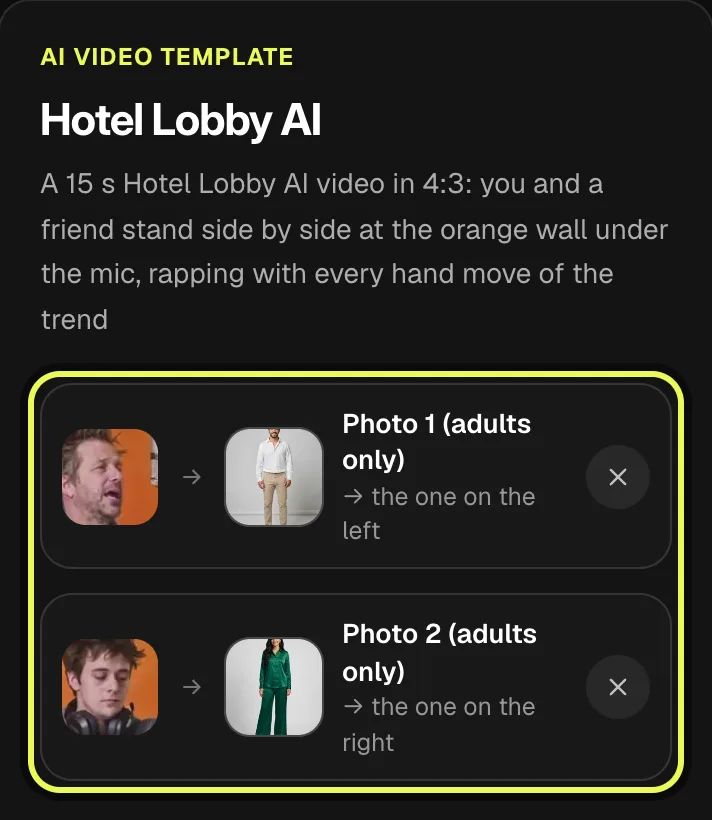
Photo 1 (adults only) supplies the performer on the left. Photo 2 (adults only) supplies the performer on the right. Make that decision before selecting files. If you want to swap places, exchange the photos between those roles before generating. There is one supplied style, Duo, so you are choosing the performers rather than picking different duet scenes.
Choose two adults who agreed to appear. Two friends in everyday clothing make a straightforward version; a formal suit beside a bathrobe can change the mood of the performance. The contrast comes from the actual outfits in your photos. Choose those clothes in the input instead of expecting a wardrobe control to change them later.
Prepare one person per photograph. Separate files make it easier to check who fills each side. If your starting image contains both adults, make separate crops before using the two upload slots, keeping each face and enough of the upper body visible. Check the two previews after selection, because a familiar file name alone does not tell you that you put it on the intended side.
Leave room for the hands and shoulders
A full-body or half-body photograph shows the clothing and gives the shoulders and arms room in the input. Face the camera in even light and choose an image where the adult is easy to see. The sequence uses gestures as well as facial movement, so a tight face-only crop leaves out useful information about the performer’s upper body.
You do not need to pose with the hands already pointing or shrugging. The photo establishes the adult and outfit; the template supplies the performance. Pick a clear image first rather than trying to imitate a single frame from the sample. A normal portrait with visible shoulders can be more useful than a blurred picture captured during an elaborate gesture.
Before continuing, compare both selected thumbnails with your plan for the pair. Check the face, clothes and left-to-right order. If you replace a file, check that role again before starting the video. These simple checks happen while you can still change the inputs, rather than after you have made a duet with the adults in the opposite positions.
Check 4:3, the account and the wait
The result is 15 seconds in 4:3. It is not the tall 9:16 frame used by several other dance templates on the site. Check the sample’s shape when planning the post, especially if you want to keep both performers visible. A crop for a taller presentation can remove the sides of the composition, so review what remains of the pair before posting a crop.
An account is required to generate. Read the cost shown on Generate for your account and selected quality, then confirm permission for both photographs. Allow about five minutes, sometimes longer. That wait is separate from the 15-second running time. The finished video is saved in My creations, where you can watch and download it.
The generation card is below this guide’s steps. On a phone, open it with its make button; on a computer, use the open card. The screenshots show the matching template page so you can recognize the two photo roles, permission checkbox and Generate button. You can use the same effect here without preparing a performance clip or writing a prompt.
How to do the Hotel Lobby trend on Vidlark
This Hotel Lobby AI walkthrough uses the fixed Duo style. Prepare two adult photos in left-to-right order, then use the card below the steps. The screenshots show our matching template page; the final sample illustrates the format and is separate from the demonstration uploads.
Step 1
Watch the duet and find the photo card
Watch the sample for the orange wall, hanging microphone and camera changes. Find the two photo slots beside it on a computer or below it on a phone. The card below these steps makes the same effect. Check the 4:3 composition before choosing who you want on each side.
Step 2
Upload the left performer, then the right
Choose the left adult in Photo 1 (adults only) and the right adult in Photo 2 (adults only). Check both thumbnails for the intended faces and outfits. Use separate photos with one adult in each. If you want the pair to exchange sides, change the photo order before generating.
Step 3
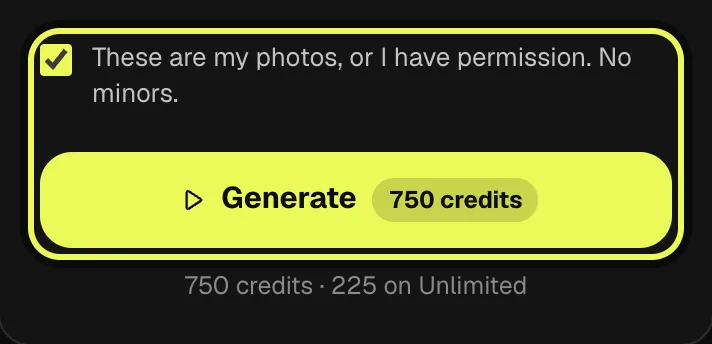
Review permission and cost, then Generate
Read the cost shown on Generate and confirm permission to use both photos. The supplied Duo style makes a 15-second clip in 4:3, with the trend’s sound. Tap Generate when the inputs and price are right. Allow about five minutes, sometimes longer, and look for your own finished video in My creations.
Step 4
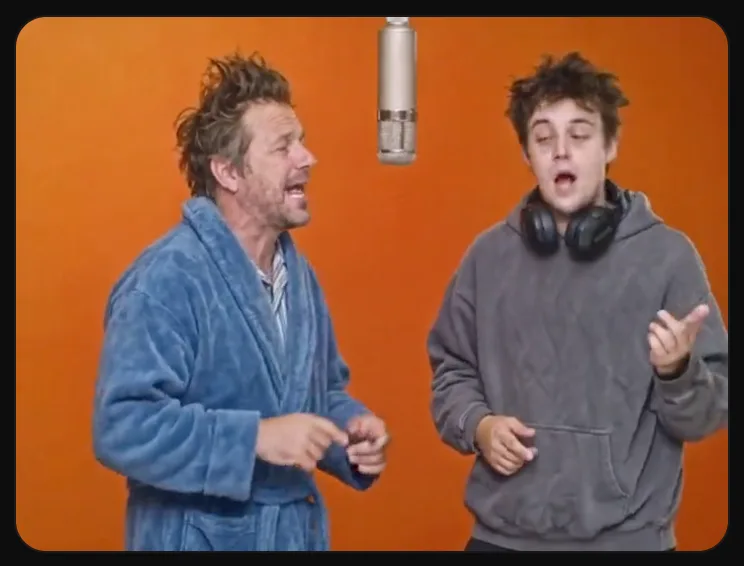
Download your duet
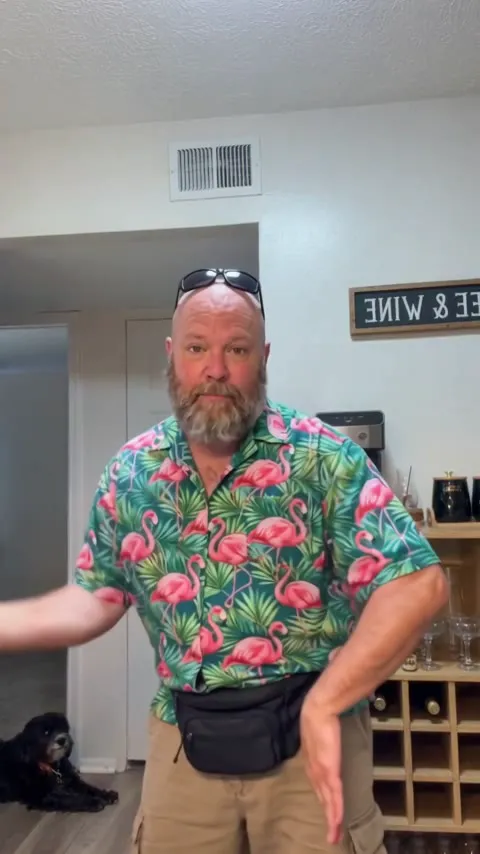
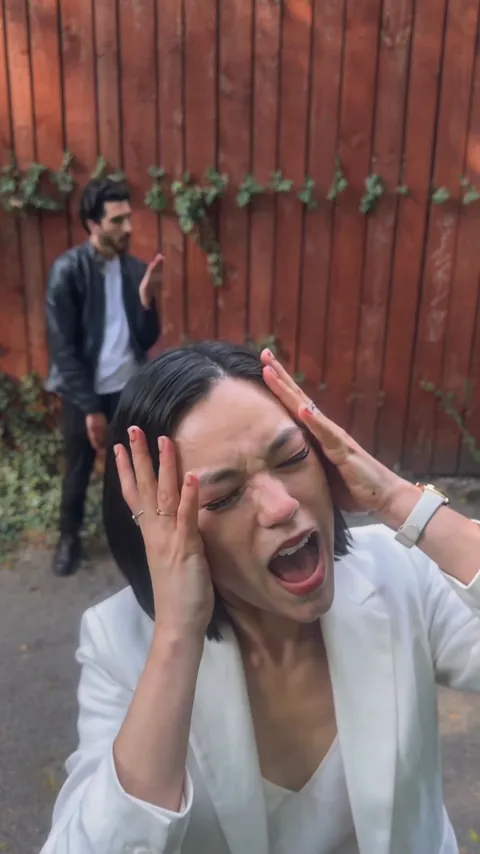
Review the finished result in My creations, then download it. This screenshot is the page sample, not a result from the demonstration photos. Your own file carries the trend’s sound: preview both adults, the hand movements and the framing with it before posting.
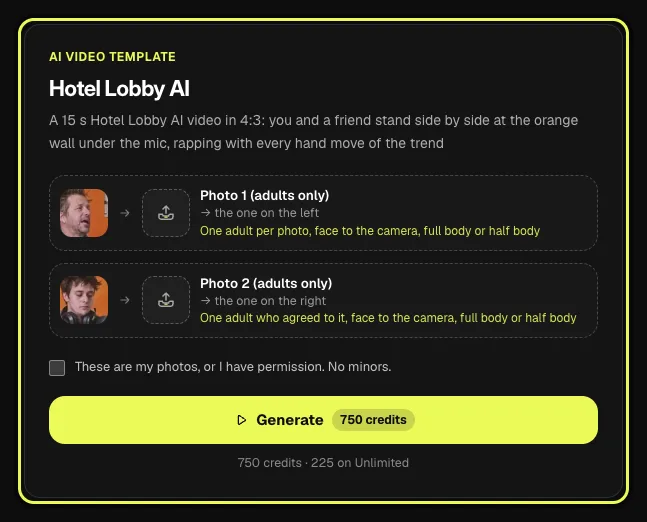
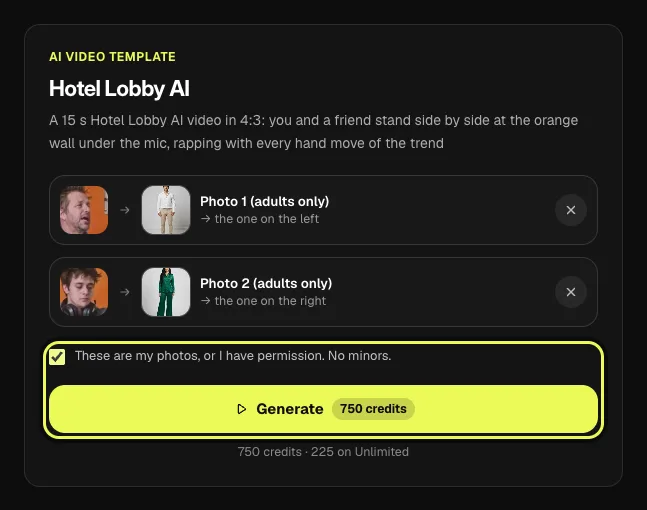
AI video template
Hotel Lobby AI
A 15 s Hotel Lobby AI video in 4:3: you and a friend stand side by side at the orange wall under the mic, rapping with every hand move of the trend
750 credits · 225 on Unlimited
Review the pair through the camera changes
Open your own finished video in My creations and watch it at normal speed. First check who is on the left and who is on the right. Then compare the faces and outfits with your two source photos. The sample beside the card remains an example of the effect and does not become a live rendering of the selected thumbnails.
Watch the pointing, shrugging and nodding as the camera moves from the wider view toward the pair. A clear opening still does not tell you how the hands and faces look through the closer shots. Look at both adults during those changes. Small visual details can differ, so judge the whole performance rather than using one appealing frame as the download check.
Download the file made for your account. The final screenshot in this walkthrough is the page sample, not a result from the demonstration photos. It illustrates the framing and performance only. Your saved result is the version to inspect when deciding whether the chosen pair and their outfits read as you intended.
Post it with the sound
The download comes with the trend’s sound, laid under the whole clip. Preview the hand gestures and camera cuts with it before posting. If TikTok flags the sound for copyright, tap Add sound, search for Hotel Lobby and pick the same song from TikTok’s library.
For the download, videos made with a credit pack or a plan download without a watermark. Keep the full 4:3 file available while you finish the post, then check any crop or trim with the audio you chose. A caption can identify the scene as your own AI duet, with the two consenting adults you selected.
FAQ
Are signup credits enough for this duet walkthrough?
No. A template video uses 750 credits at 480p (1,500 in HD), about $10 with a credit pack. Starter and Pro plans pay half (375) and Unlimited pays 30%: 225 credits a video, about $2.25. The 100 free credits you get when you sign up are not enough for one video.
Should I include the orange wall in my photos?
The template supplies the orange wall and hanging microphone. Use the two photos to choose the adults and their outfits, with one clear person in each. You do not need to photograph the set.
What should I check when a close-up looks different?
Compare both faces and outfits with the inputs, then watch the hand gestures through the camera changes. Check the wider and closer views before deciding whether to share the moving result.
Do I need to pose with the performance gestures?
No special gesture is required in the input. Choose a clear, front-facing full-body or half-body photo. The supplied sequence provides the pointing, shrugging and nodding.
What should I preserve when making a taller crop?
Keep both performers and the microphone visible where you want the duet to read. Start from the 4:3 download, preview the crop through the camera changes and check that neither adult is cut out.
How to do hotel lobby AI?
On Vidlark, choose two clear adult photos, put the left performer in photo 1 and the right performer in photo 2, then review permission and the cost before Generate. Download your own finished duet from My creations; it already has the trend’s sound.
Related trends
Tools you'll need
Hotel Lobby AI
A 15 s Hotel Lobby AI video in 4:3: you and a friend stand side by side at the orange wall under the mic, rapping with every hand move of the trend
Updated Oct 18, 2026
Hotel Lobby (Unc & Phew) is a song by Quavo and Takeoff of Migos. Vidlark is not affiliated with or endorsed by Migos, the artists or their labels.