NewKling 4.0 is liveTry it

Tesla Roadster AI Video Generator

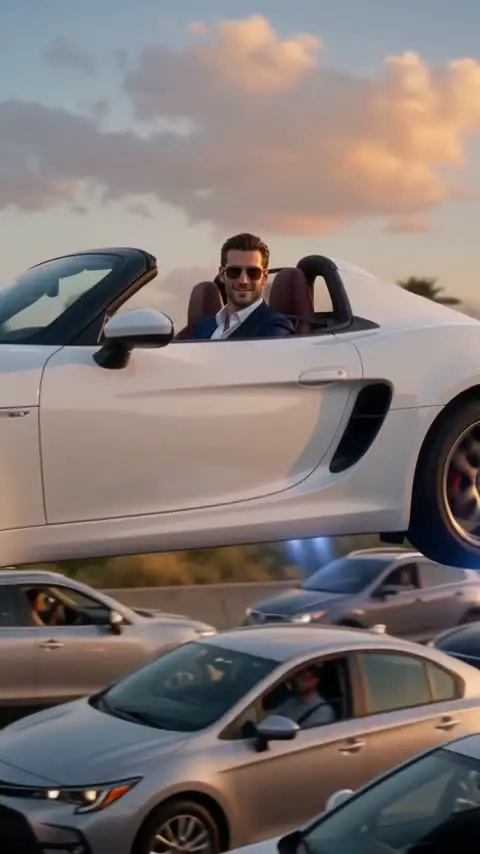
1 photo, 10 to 15 seconds: you take off out of a traffic jam in a white Roadster, or fly off from a traffic stop.

AI video template

Tesla Roadster AI Video

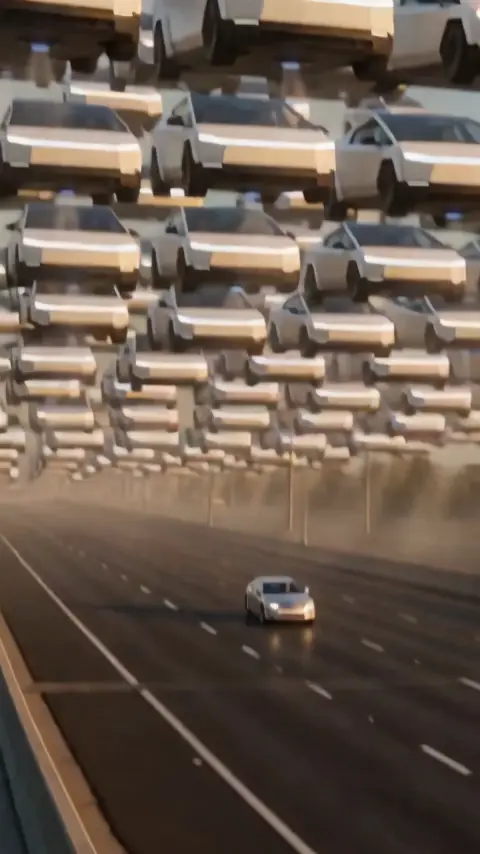
A vertical Tesla Roadster AI video: you lift off out of a traffic jam in a white roadster and float over it, fly off from a traffic stop, or keep your car on the road while every other car flies

750 credits · 225 on Unlimited

The Tesla Roadster AI video generator puts you in the flying Roadster trend: upload one photo and you sit in a white Roadster stuck in a traffic jam, shrug, fire blue thrusters and float over the other cars before flying into the sunset. Or play the driver who flies off from a traffic stop, or keep your own car on the road while every other car flies.

Updated

At a glance

Length
10–15 seconds
Format
Vertical 9:16 · Vertical 3:4
Photos
1: you, or your car
Price
750 credits (HD 1,500)
On plans
Starter and Pro 375 · Unlimited 225
Sound
None: add the trend sound on TikTok
Sign-up
An account is required (free to create)
Watermark
No watermark

Three ways to fly a Roadster

Both are our own runs of this AI video template. Your photo replaces the driver or the car.

Tesla Roadster AI Video · Traffic Jam Liftoff

Traffic Jam Liftoff

Golden hour on a packed freeway, you in a white roadster with the roof open: a shrug at the camera, blue thrusters under the car, and you float over the jam waving before flying off into the sunset. 10 s, 9:16.

Tesla Roadster AI Video · Pulled Over

Pulled Over

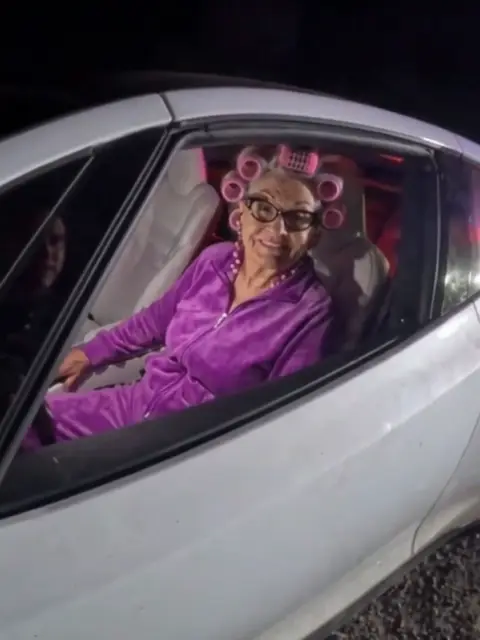
Night, a police officer at the window asking for papers, a grin, then the car lifts off on rocket thrust in a cloud of white smoke and flies away. 15 s, 3:4.

Tesla Roadster AI Video · Everyone's Flying

Everyone's Flying

Sunset, the sky packed with flying trucks, and one car still driving on the empty highway below: yours. 10 s, 9:16.

Which photos work best

  • A clear face

    For Pulled Over, one adult facing the camera. The driver gets the face and the outfit from your photo.

  • The whole car

    For Everyone's Flying, the whole car in the frame, best from the front side, one car per photo.

  • The outfit is the joke

    Hair curlers, a suit or pajamas behind the wheel make the grin at the officer funnier.

What is the Tesla Roadster AI video trend?

In October 2026 Tesla showed its new Roadster at a launch event, billed as able to lift off the ground on thrusters. Right after, TikTok filled with AI videos putting the flying Roadster in everyday scenes: stuck in traffic, landing in a parking lot, leaving a police car behind.

This Tesla Roadster AI video generator makes the traffic-jam version from your photo: you behind the wheel of a white Roadster, a shrug at the camera, blue thrusters under the car, and a slow float over the jammed freeway. Two more styles follow the same trend, and below are prompts to copy for the parking lot, the roadblock, the plane window and a Roadster that turns into a robot.

Use the flying car AI template

The same templates without the brand, plus the flying car trend: Flying Car AI

See the trend on TikTok

Tesla Roadster AI prompts

More scenes from the trend: copy a prompt, or open it and press Generate. The first three make the whole scene from the words; the robot one starts from a photo of your car.

Parking lot landing

Realistic phone video, vertical 9:16: at dusk a sleek white Tesla Roadster with bright blue thrusters glowing underneath slowly descends from the sky and lands softly in an empty spot of a busy supermarket parking lot, dust swirling, shoppers with carts stop and stare, the driver in sunglasses steps out and waves. Smooth natural motion, photorealistic, no text, no logos, no watermark.
Over the roadblock

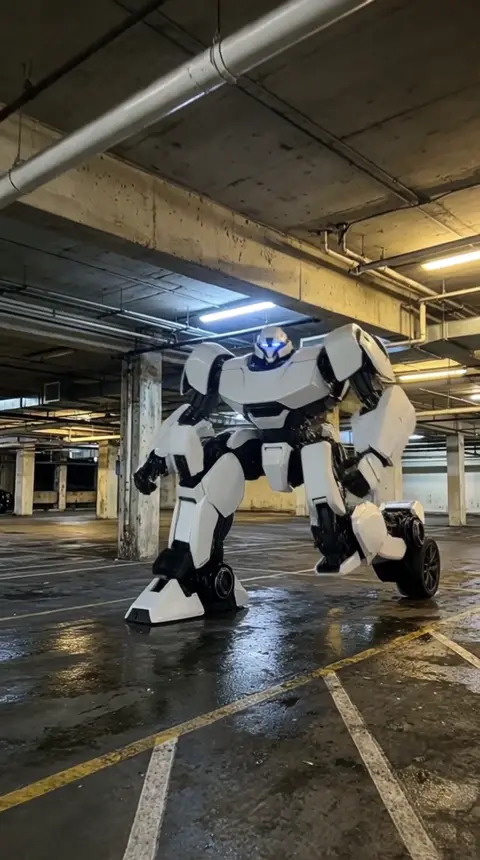
Realistic dashcam video, vertical 9:16: at night a police roadblock with flashing lights closes a highway; a sleek white Tesla Roadster fires bright blue thrusters, lifts straight off the road and glides high over the roadblock while the officers look up in surprise, then flies on toward the city lights. No crashes, no injuries, photorealistic, no text, no logos, no watermark.

Past the plane window

Realistic phone video filmed through an airplane window, vertical 9:16: above the clouds at sunset a sleek white Tesla Roadster with bright blue thrusters flies alongside the wing, the driver in sunglasses gives the passengers a thumbs up, warm golden light, smooth natural motion, photorealistic, no text, no logos, no watermark.
Roadster to mecha

Roadster to mecha

Upload a photo of your car

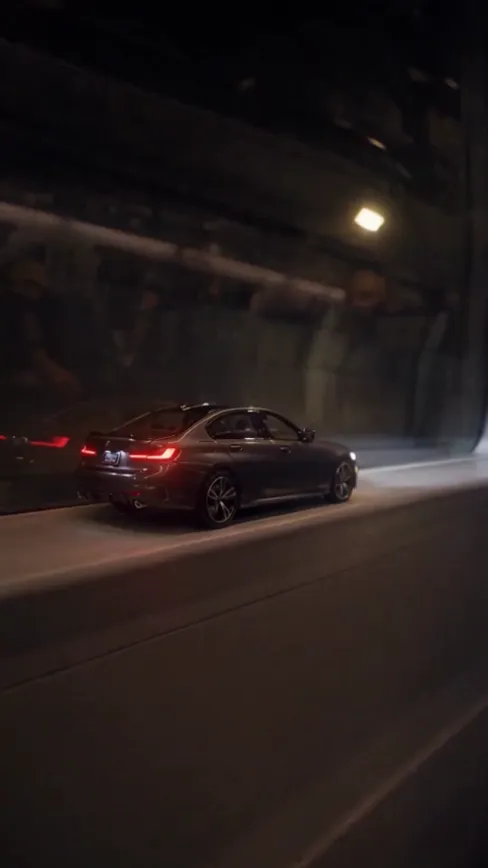
The car in the photo transforms into a giant robot: body panels split and slide apart with mechanical clicks, the wheels fold up toward the shoulders, the hood becomes chest armor, the chassis unfolds into two long legs, arms extend from the doors, and the robot rises to stand tall in the parking garage, headlights glowing as its eyes, then strikes a heroic pose. Slow camera pullback to keep the whole robot in frame. Photorealistic, cinematic lighting, smooth mechanical motion, no people, no text, no logos.

How to make it

  1. 1

    Pick a style and upload

    Pulled Over and Traffic Jam Liftoff take one photo of you; Everyone's Flying takes one photo of your car. Adults only, one person or one car per photo.

  2. 2

    Generate

    The Flying Car AI template is set: vertical, no sound, 15 seconds for Pulled Over and 10 for the other two. You only press Generate.

  3. 3

    Add a sound and post

    Pulled Over is ready in about five minutes, sometimes longer, the other two in two to three, and all stay in My creations. Add a sound on TikTok before you post.

AI video template or filming it yourself

Both end with the same clip on TikTok. The difference is what you need before you start.

AI video templateFilming the trend
You needOne photo of you or your carA car, a camera and visual effects
TimeTwo to five minutes, sometimes longerDays of editing
The flightFollows the trend shot for shotBuilt by hand
SoundAdded on TikTokAdded on TikTok
Cost750 credits, less on a planYour gear and your time

Questions

Is the Tesla Roadster AI video generator free?

No. A template video uses 750 credits at 480p (1,500 in HD), about $10 with a credit pack. Starter and Pro plans pay half (375) and Unlimited pays 30%: 225 credits a video, about $2.25. The 100 free credits you get when you sign up are not enough for one video.

Is the flying car a real Tesla?

No. It is a white two-door roadster made by AI, not a real Tesla, and Vidlark is not affiliated with Tesla.

Whose photo can I use?

Adults only: don't upload photos of children. Your own photo, or one of someone who agreed to be in the video. No photos of famous people. Uploads go through an automatic safety check before anything is made.

Can I use my own car?

Yes: pick Everyone's Flying and upload a photo of your car. It keeps its color, body shape and wheels while every other car flies. The whole car in the frame, one car per photo.

Can I make the parking lot or police version?

Yes, with text to video: copy one of the three prompts on this page, the parking lot landing, the flight over a roadblock or the plane window, and generate it there. Those runs have no photo of you; for your own face, pick Traffic Jam Liftoff or Pulled Over.

How do I add sound?

The video comes without sound. On TikTok, upload the clip, tap Add sound and pick the one you like. We never add music ourselves.

How long does it take?

About five minutes for Pulled Over, the 15-second one, sometimes longer, and two to three minutes for Everyone's Flying and Traffic Jam Liftoff, the 10-second ones. You can close the page: the video waits for you in My creations.

Made with this template

Examples made by the Vidlark team.

  • Tesla Roadster AI Video: Your photo
  • Tesla Roadster AI Video: Your photo

More trending AI videos

Trending on TikTok now: pick one and make it with your photo.

Make your Tesla Roadster AI video

One photo, a few minutes, and you fly over the traffic.

Tesla and Roadster are trademarks of Tesla, Inc. Vidlark is not affiliated with or endorsed by Tesla.