Green screen remover prompt
Green screen to a bright office prompt
Green screen to a bright office prompt: turns one image, your green screen photo, into this picture with Nano Banana 2.1. 40 credits a picture, about 1–2 minutes, a 1K image (896 × 1200), watermarked on free credits. Copy the full prompt below, or press Generate to make it with your own photo.
- Nano Banana 2.1
- 40 credits
- About 1–2 minutes
- 1K · 896 × 1200
Updated By the Vidlark teamWorks in Google Gemini · ChatGPT
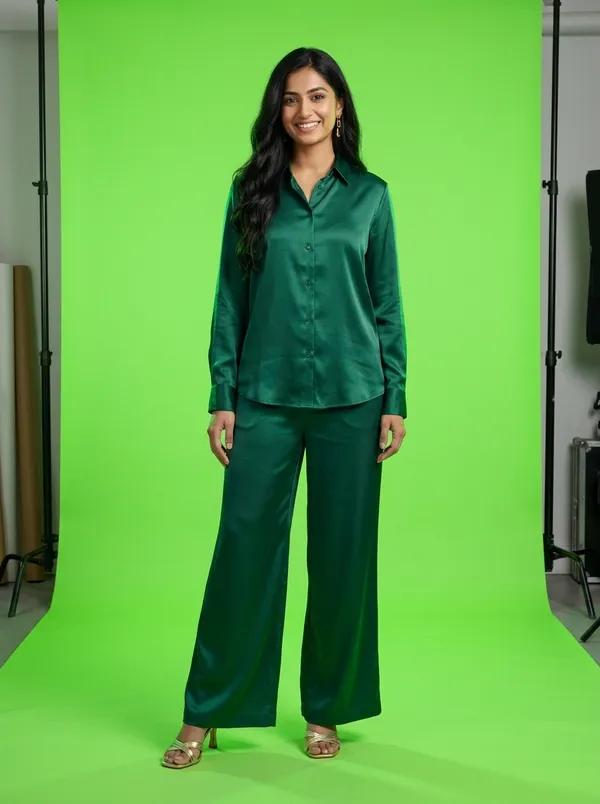 Original
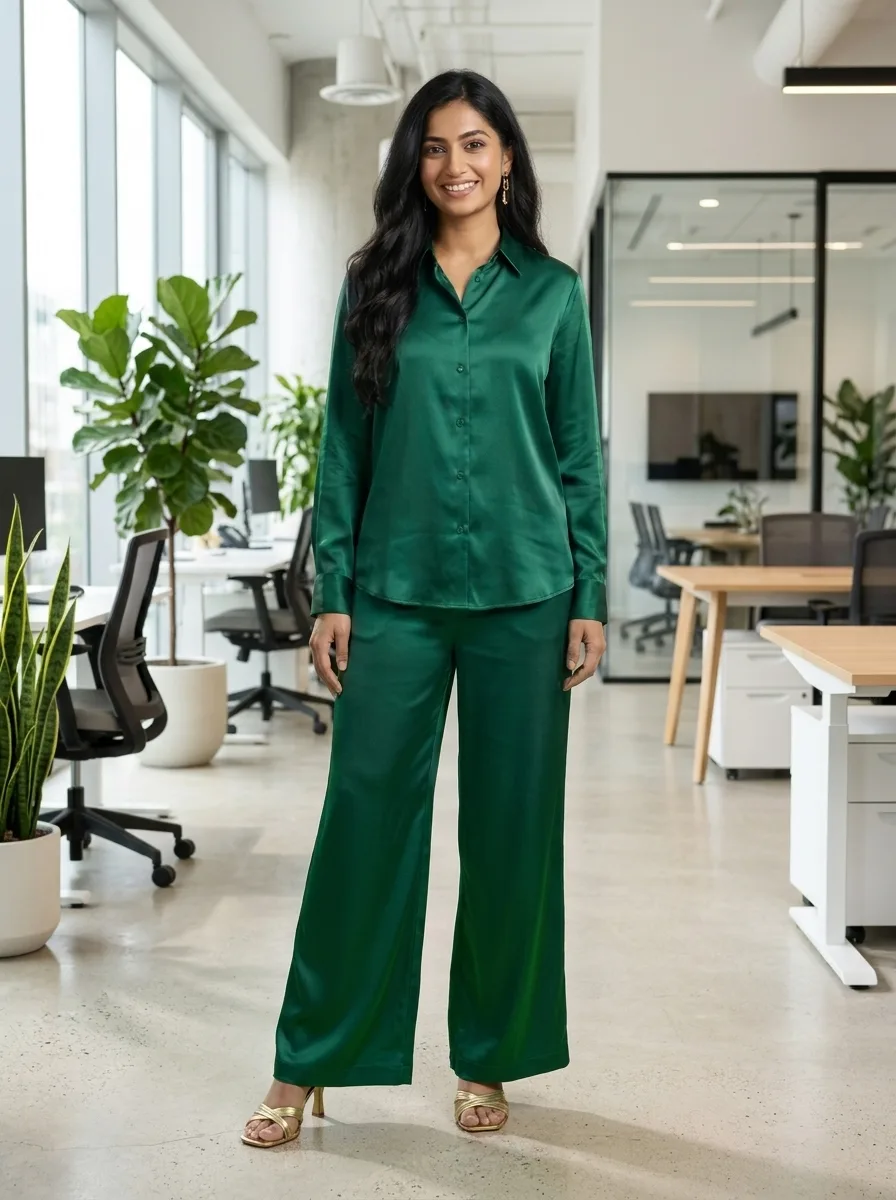 Result
Style
Green screen to a bright office
Photo 1
your green screen photo
The full green screen to a bright office prompt
The same person from the photo cut out cleanly and placed in front of a bright modern office background with plants and a window, lighting and colors matched so it looks like one real photo, natural edges around the hair. Keep the person exactly. Photorealistic, vertical 3:4. No text, no logos, no watermark.
How to change it
- Result: change the words that describe what you get (the background, the light, the style) and keep the sentence that keeps the original unchanged.
- Ratio: this one is 3:4. Write another ratio in the prompt (1:1, 16:9) and pick the same one in the panel.
At a glance
- Price
- 40 credits a Nano Banana 2.1 image (1K)
- Sign-up
- No account needed to copy; an account is required to make it (free to create)
- Photos
- JPG, PNG or WebP, up to 10 MB
- Watermark
- On free credits; none on paid plans
- Uploads
- Private, deleted after 7 days, never used to train models
FAQ
Is it free to use these prompts?
Copying a prompt is free. Making it here uses 40 credits for one Nano Banana 2.1 image at 1K, so the 100 credits you get when you sign up make 2. On monthly plans Starter pays 32 credits an image and Pro 20. Unlimited makes Nano Banana 2.1 images without using credits.
What photo works best for this prompt?
One clear image of your green screen photo, in focus and in good light. The clearer the original, the closer the result stays to it.
Can I use this prompt in Gemini or ChatGPT?
Yes: copy the full prompt and paste it with your photo into Google Gemini or ChatGPT. Results differ from model to model; our sample was made with Nano Banana 2.1.
Can I change a prompt?
Yes. Edit any word in the panel before you press Generate, or switch the model; the card’s own model is picked first.
How long does it take?
About 1–2 minutes for one picture. It is saved in My creations, so you can leave the page while it works.
Do I need an account?
Not to read or copy a prompt. To make it here, sign up for a free account: the card, the prompt and your photos are still there when you come back.