Trend guide
What Is the Ghost Filter on TikTok?
The ghost filter is not one TikTok effect but a few: Reality Ripple, Facial Detection and effects that make a ghost appear behind you. People film friends and family with them and post the reaction. The names differ by region and app version. Here is how to make a cute AI version from one photo.
- Ghost filter TikTok trend
- Halloween
What is the ghost filter on TikTok called?
There is no single official name. The ghost filter people talk about is usually one of a few TikTok effects: Reality Ripple, Facial Detection, or an effect that makes a ghost appear behind you, often searched as "ghost behind you". The names differ by region and app version, and the same effect can show up under another name.
In the prank videos, someone films with the front camera and, after a few seconds, a ghost seems to appear in the room. No filter can actually see ghosts: these effects track faces and movement and misfire now and then, or draw the ghost on top of the video.
Other ghost filters on TikTok
Searches for the best ghost filter on TikTok, or a filter that detects ghosts, usually land on one of these. Search the name in Effects; if it is not there, the effect may have another name where you are.
Reality Ripple
A colorful ripple that follows people as they move. It sometimes outlines an empty spot or an object, and those blips are what people call ghosts. It flickers a lot: skip it if flashing light bothers you.
Reality Ripple on TikTokFacial Detection
A face-tracking effect. When it marks a face where nobody is standing, viewers read it as a ghost; it is a false detection, not a spirit.
Facial Detection on TikTokGhost behind you effects
These draw an animated ghost that fades in over your shoulder while you film. Search "ghost behind you" in Effects.
For a prank, an effect that draws the ghost is the most reliable: Reality Ripple and Facial Detection only "find" something when they misfire. If you would rather not film at all, the AI version below starts from one photo.
Where the ghost filter trend came from
The trend took off in early October 2026 with people pranking friends and family: they film someone who does not know the ghost is coming, and the video is all about the reaction, from a scream and a run to a completely unbothered shrug. The tags #ghostfilter and #ghostfilterprank keep growing toward Halloween.
Prank adults, or yourself: the AI version on Vidlark only accepts photos of adults.
How to make a ghost filter video on Vidlark
The AI version needs one photo instead of a live recording, and the ghost can be cute or scary. It takes two to three minutes.
Step 1
Open the AI Ghost Filter page
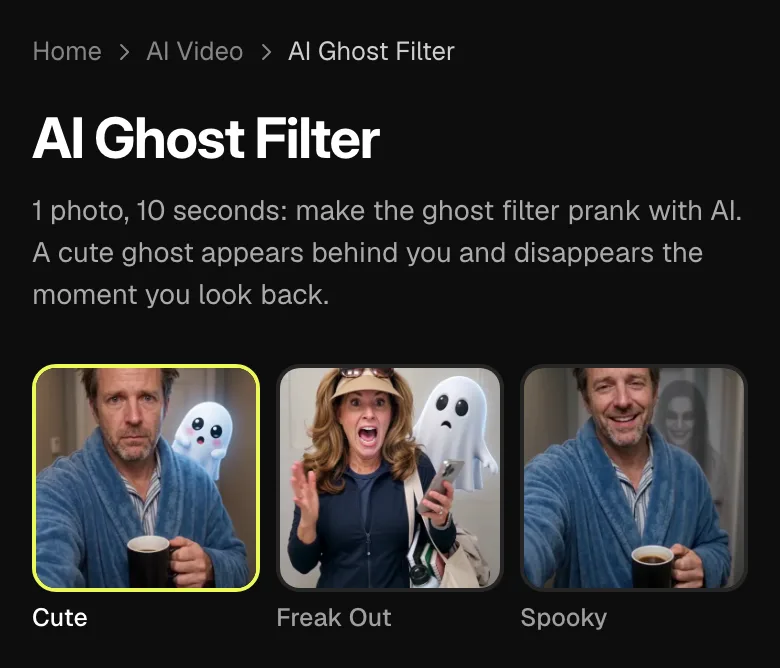
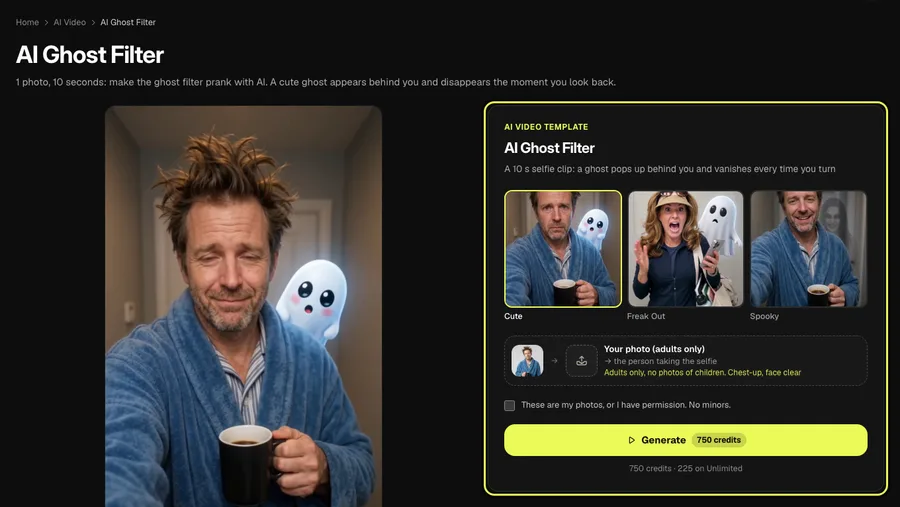
The three styles and a sample video are at the top of the AI ghost filter page; right below is the template card with the photo slot and the Generate button. On a computer they sit side by side.
Step 2
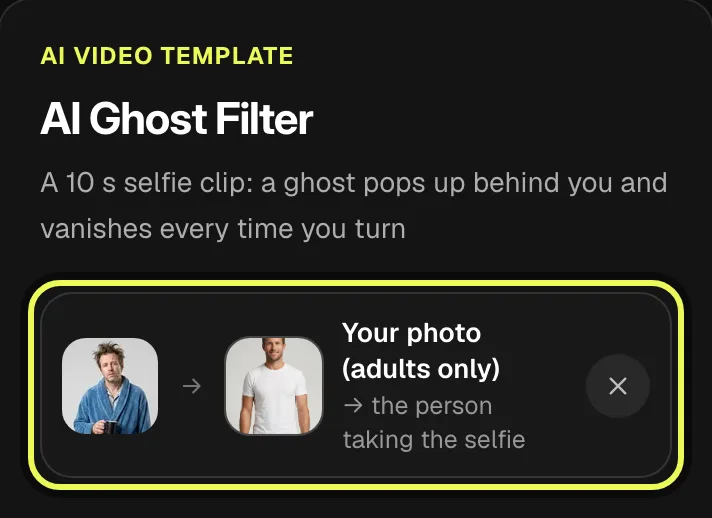
Upload a clear photo of yourself
Tap the photo slot and pick a chest-up photo with your face clear. Adults only: never use a photo of a child.
Step 3
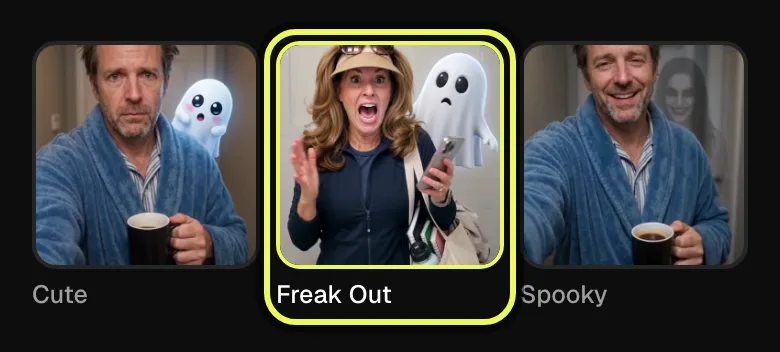
Pick a style: Cute, Freak Out or Spooky
Cute is a little white ghost that waves, Freak Out is the big scream and the run, Spooky is a pale long-haired ghost, the closest to the TikTok prank videos.
Step 4
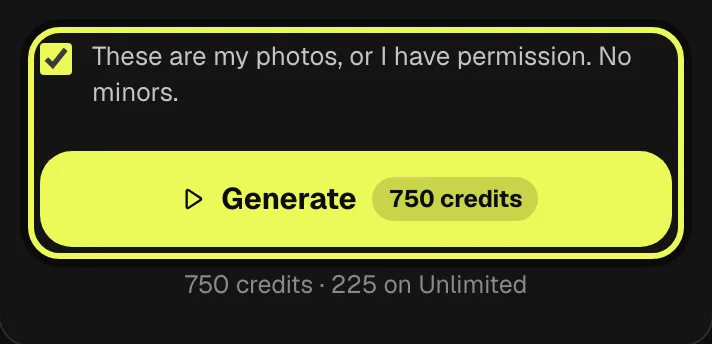
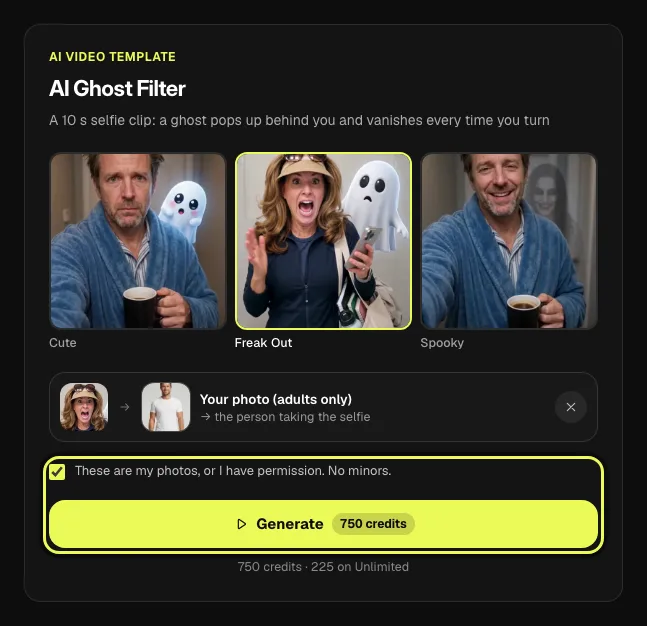
Check the price and tap Generate
The button shows what the video costs before you start. Tick the box to confirm the photo is yours or that you have permission, then tap Generate.
Step 5
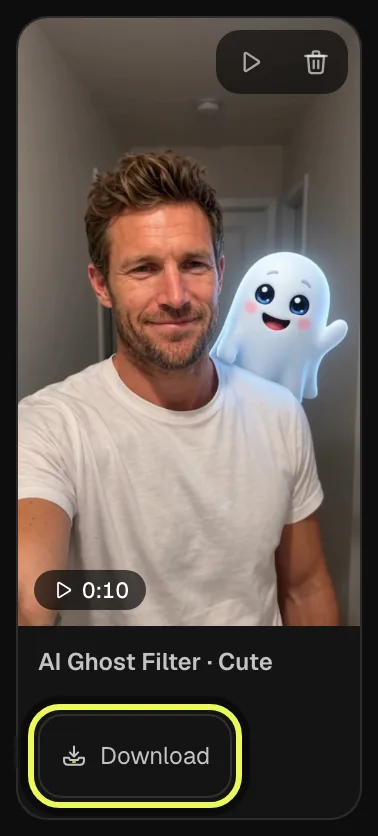
Download or share your video
The clip is usually ready in two to three minutes and waits in My creations. Download it and add a sound on TikTok before you post.
Make yours now
AI video template
AI Ghost Filter
A 10 s selfie clip: a ghost pops up behind you and vanishes every time you turn
750 credits · 225 on Unlimited
Tips for the best result
The photo decides most of the result, and each style suits a different moment.
The photo
One person, facing the camera, from the chest up, in good light, with nothing covering the face. Adults only.
Cute
A little white ghost that waves: the one to send to family or post anywhere.
Freak Out
The big scream and the run: best when you want the clip to get a laugh.
Spooky
A pale, long-haired ghost, the closest to the TikTok prank videos: for a real Halloween scare.
Before you post
Add the trend’s sound in TikTok before you post.
Ghost filter prank ideas
Keep it to adults who can take a joke. Make the clip from your own photo, or from a friend’s photo with their OK.
Your partner
Make a Spooky clip from your own selfie and send it with "did you see something behind me?". Wait for the reply before you explain.
Your roommate
Drop a Cute clip of yourself in the house group chat late at night with "who else is home?".
Your friends
Get one friend in on it: with their OK, make a Freak Out clip from their photo and let them post it as if it really happened.
The ghost filter on TikTok vs. the AI version
The TikTok effects work live: you film the scene yourself, and the ghost only shows up if the effect fires. They are free in the TikTok app: tap + → Effects and search Reality Ripple, Facial Detection or "ghost behind you"; the names differ by region and app version.
The AI version starts from one photo: no filming, and you choose the ghost, cute, freaking out or spooky. It costs credits and gives you a finished 10-second clip to post anywhere.
FAQ
Is there a TikTok filter that can see ghosts?
No. Effects like Reality Ripple and Facial Detection track movement and faces; when they misfire on an empty corner, people read it as a ghost. Other ghost effects simply draw the ghost on your video.
What is the filter everyone is using on TikTok?
It changes every few weeks. Around Halloween 2026 one of the most popular is the ghost filter prank: people film friends and family with a ghost effect and post the reaction.
How do you get ghost mode on TikTok?
TikTok has no official feature called ghost mode. People usually mean one of the ghost effects: tap + → Effects and search Reality Ripple, Facial Detection or "ghost behind you". The names differ by region and app version.
What is the ghost trend on TikTok?
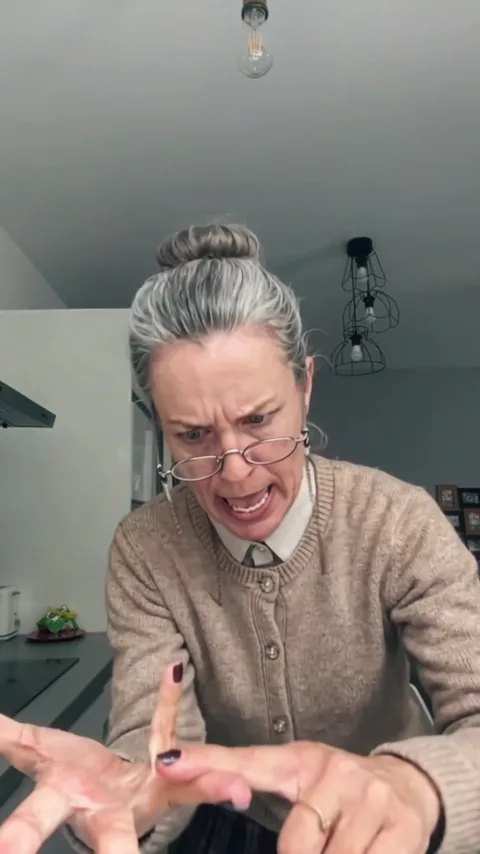
It is the trend of using the ghost filter to prank someone and film their reaction, from screaming and running to not caring at all.
Is the ghost filter free?
The TikTok effect is free in the app. The AI version on Vidlark costs credits: one 10-second video uses 750 credits at 480p, and the 100 credits you get when you sign up are not enough for one. If you have never bought anything on Vidlark, your first template video can be just $7.99: one video on any template, first purchase only.
Can I use a photo of my kids?
No. The AI ghost filter only accepts photos of adults. By uploading, you confirm the person in the photo is an adult and that you have their permission.
Related trends
Tools you'll need
AI Ghost Filter
A 10 s selfie clip: a ghost pops up behind you and vanishes every time you turn
Updated Oct 15, 2026